
What to Look for in Poker Apps for Multitabling
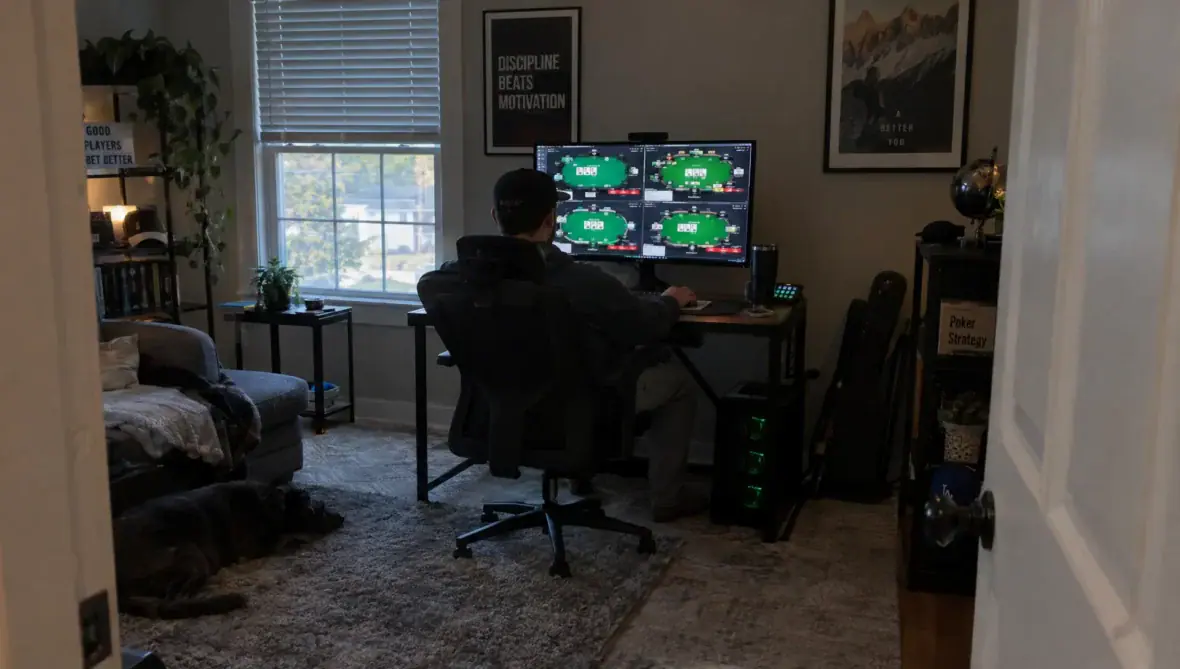
The best poker apps for multitabling make it easy to act on the correct table, enter the intended bet and recover when something goes wrong. A high table cap matters less if you miss decisions or tap the wrong button.
Choose around your actual setup: phone, tablet or desktop, cash games or tournaments and the number of tables you can follow comfortably. This guide focuses on selection criteria, not a hands-on app ranking. Check each operator’s current rules and test the version you intend to use.
Check eligibility and the exact app version first
Before comparing layouts, confirm that the operator can legally offer real-money poker where you are physically located. An app-store listing does not establish eligibility. US players can use our guide to evaluating online poker sites by state to understand the checks involved.
Separate social, play-money and real-money products. A free app can help you assess button placement, but its table limits, player pool and connection behavior may differ from the operator’s real-money client. Some virtual-chip products do not offer cash withdrawals at all.
Check the supported operating system, device requirements and simultaneous-table limit for your intended game. Desktop specifications do not establish what the iPhone or Android version supports. Also confirm whether tournament entries, cash tables and fast-fold pools share one limit or have separate restrictions. Look for current help documentation rather than relying on an old review.
Essential features in poker apps for multitabling
Treat the advertised table limit as one item in a broader usability check. These features affect how reliably you can manage overlapping decisions:
| Feature | What to check | Warning sign |
|---|---|---|
| Table navigation | Clear action indicators and quick movement between tables | You must cycle through every table to find pending action |
| Focus behavior | Predictable switching when another table needs a decision | A new table appears under your finger or cursor mid-action |
| Bet controls | Readable amounts, editable presets and distinct action buttons | Small controls make accidental bets easy |
| Connection recovery | Clear connection status and documented recovery behavior | A frozen display looks like a live table |
| Table identity | Visible stakes, game type and tournament information | Similar-looking tables are difficult to distinguish |
Choose a manageable table count, not the maximum
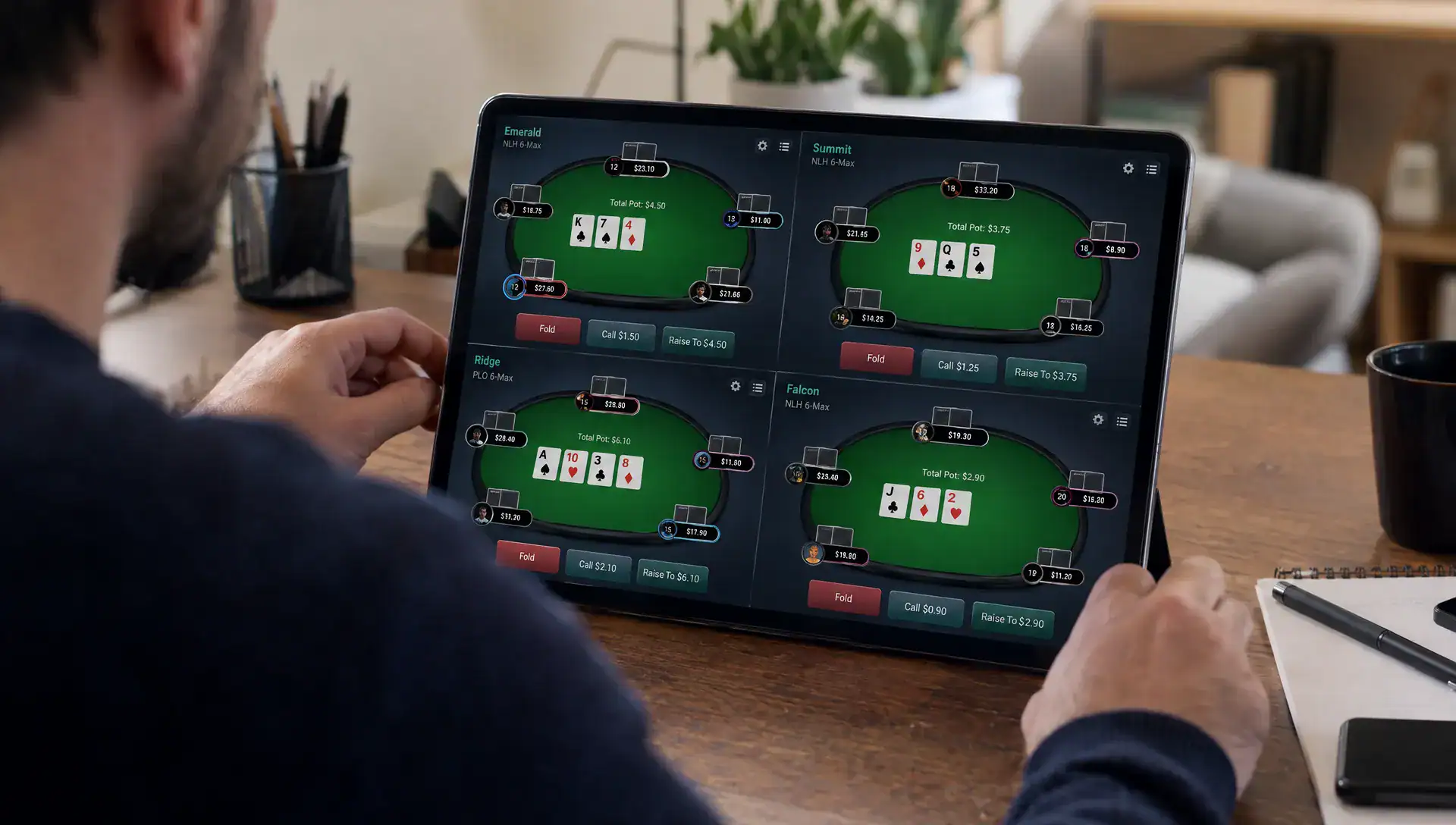
A four-table limit does not tell you whether four tables remain visible, appear as tabs or require swiping between full-screen views. Those layouts create different demands on your attention.
When comparing poker apps, check how many decisions you can monitor without repeatedly opening hidden tables. Look for an obvious pending-action marker and enough information to recognize the table before touching a betting control.
Game format matters too. Fast-fold poker can generate decisions quickly without requiring many visible tables. Tournament workloads change as stacks shorten, blinds rise and additional events overlap. Counting tables alone misses that variation.
Start below your assumed capacity. Add another table only if you can still follow position, effective stacks and recent action without routinely using your time bank. The right limit is the one that preserves decision quality, not the largest number the software accepts.
Make action priority and bet entry predictable
Automatic table switching can save time, but it becomes a liability if it changes the destination of an input. On desktop, check whether an action-required window steals focus while you are typing a bet elsewhere. On mobile, check whether a table switch moves buttons under your thumb.
Good poker apps should make the active table unmistakable and keep bet entry predictable. Test whether a partially typed amount remains attached to its original table when you switch away and return.
Useful controls may include configurable bet presets, readable raise amounts and clear distinctions between check, call and fold. Availability varies, so verify rather than assume. Pre-action buttons also deserve attention: understand whether they remain selected after the action changes and how to cancel them.
For desktop hotkeys, check both software support and operator permission. Avoid shortcuts that can act on an unintended table. An extra click is preferable to a faster input you cannot reliably control.
Test disconnections, interruptions and time banks
A stable session depends on more than connection speed. Watch what happens when the client loses connectivity, the phone receives a call or the operating system sends the app into the background.
The interface should distinguish reconnecting from live play. Check the operator’s documentation for automatic folds, time-bank use and any disconnection protection. Do not assume a lost connection pauses the hand or preserves your remaining decision time.
Evaluate poker apps under ordinary device conditions, including your usual connection and realistic battery levels. Charging, heat and other running applications can affect performance, so a brief test on an otherwise idle device may not represent a full session.
Use play-money tables for interruption testing where available. Do not deliberately disconnect during a real-money hand. On mobile, configure notifications and screen-lock settings before playing, while preserving access to essential alerts. Never assume every app will recover identically after an interruption.
Match the layout to your device and game
Phone and tablet layouts
A phone’s smaller screen makes navigation especially important. If only one table is visible, pending-action indicators need to communicate urgency without forcing constant switching. On tablets, a tiled layout is useful only if stack sizes, bets and action buttons remain readable.
Assess iOS and Android versions separately. Features can differ between them, and an operating system’s split-screen capability does not establish that the poker client supports additional tables.
The most suitable poker apps for a phone may therefore differ from your desktop choice. Try the interface at its smallest practical table size and check whether you can distinguish suits, decimal amounts and tournament levels without zooming or leaning closer.
Desktop layouts and table selection
On desktop, compare tiled, overlapping and stacked windows if the client supports them. A layout should fit your monitor without hiding action controls behind another window or the taskbar.
Lobby usability matters as well. You need to identify stakes, table type and available seats before joining. Our guide to choosing an easier poker table covers selection considerations, but remember that a favorable-looking table is not useful if adding it overwhelms your attention.
Scrutinize “smart” features and unnecessary overlays
Avatars, animations, promotional pop-ups and recommendation panels can compete with information you need during a hand. Check whether nonessential effects can be disabled without hiding action alerts.
If poker apps advertise AI-powered features, ask what those features actually do. Post-session organization is different from advice about a live decision. Review the operator’s rules before enabling any assistant, overlay or third-party tool.
The AI Product Adoption Deck is a product-team resource focused on diagnosing adoption problems and improving trust and usability. Its focus offers a useful lens for evaluating AI-labeled features: does the feature solve a clear problem, explain its behavior and leave you in control? It is not a poker strategy resource or evidence of better playing results.
Do not use real-time decision assistance that violates the operator’s rules. A feature being technically accessible does not make it permitted.
Run a repeatable multitabling test before committing
Compare clients using the same device, connection and game format wherever possible. Otherwise, differences in table speed or hardware can look like differences in software quality.
Use this short test sequence, beginning with play money where available:
- Establish a baseline: Play one table and check card readability, action buttons, sound settings and bet entry.
- Add one table: Observe how pending actions appear and whether automatic switching interrupts an input.
- Check common situations: Test the lobby, table resizing, bet presets and returning to a table with a decision pending.
- Observe interruptions safely: Away from real-money hands, check backgrounding, screen locking and reconnection behavior.
- Review what went wrong: Record accidental inputs, missed actions, unreadable amounts and moments when you lost track of a hand.
- Stop at declining control: Reduce the table count if mistakes recur or your decision process becomes rushed.
A consistent test makes poker apps easier to compare than impressions such as “this one feels faster.” Keep a brief record of the operating system, app version, layout and table count so you know what you actually assessed.
If the operator allows downloadable hand histories, review confusing hands after the session. Separate strategic mistakes from interface mistakes. A rushed call caused by poor table awareness requires a different fix from a misclick caused by overlapping controls.
Play-money testing can reveal interface problems, but it does not reproduce the financial pressure or decision demands of a real-money session. Treat it as an initial screen, not proof that a higher table count is suitable.
Compare net results, not just volume or rakeback percentages
More tables can produce more hands, but that does not automatically improve results. Extra volume may be offset by worse decisions, tougher games or greater fatigue.
For poker apps used to multitable, assess rewards alongside the quality of play you can maintain. Consider this simplified cash-game example, using hypothetical win rates after rake but before rewards:
| Setup | Hands per hour | Assumed profit per 100 hands | Calculated hourly profit before rewards |
|---|---|---|---|
| Four tables | 280 | $5.00 | $14.00 |
| Six tables | 420 | $3.00 | $12.60 |
The arithmetic illustrates a trade-off, not an expected return. Actual hand rates and results vary, and short-term outcomes are noisy. These figures do not establish that either table count would be profitable for a particular player.
Apply the same scrutiny to rakeback. Check qualifying games, rake attribution, reward caps, expiry rules and whether a headline percentage depends on reaching a volume tier. Promotional rewards may not all be withdrawable cash.
Do not add tables simply to chase a reward threshold. Set a session duration, loss limit and affordable bankroll exposure before playing. Multiple tables can put more money at risk simultaneously, particularly when rebuys or tournament registrations overlap. Use deposit limits, time-outs or self-exclusion tools when needed.
Frequently asked questions
How many tables should a beginner play at once? Start with one until you can follow the action and enter bets reliably. Test a second table without increasing stakes. If you start missing actions, losing track of positions or repeatedly rushing decisions, return to fewer tables.
Are desktop poker apps always better for multitabling? No. Desktop layouts may offer more visible space and additional controls, but suitability depends on the client, monitor and game format. A clear mobile interface at a manageable table count can be preferable to a crowded desktop setup.
Can I use a HUD or other tracking software? Only if the operator permits that specific tool and use case. Rules differ by platform and can change. Support for hand histories does not automatically mean that live statistical overlays, seating tools or automated actions are allowed.
Does a bigger time bank make a higher table count safe? Not by itself. A time bank gives you additional decision time under the game’s rules, but it cannot replace attention. If you regularly need it for routine decisions across several tables, reduce the workload rather than treating the reserve as normal operating capacity.
Choose reliable controls before comparing rewards
Shortlist poker apps that pass your eligibility, navigation and stability checks first. Then compare the stakes, game availability and rewards you can realistically use.
Use Rakeback Bible’s poker room and rakeback comparisons to assess the financial terms alongside your own software test. Favor a manageable setup with clear controls over a larger table count you cannot play comfortably.


18+ | Further Terms Apply | Play Safe | www.begambleaware.org | #ad

18+ | Further Terms Apply | Play Safe | www.begambleaware.org | #ad